Pipeline
Pipeline: your stages, and everything that happened on each lead
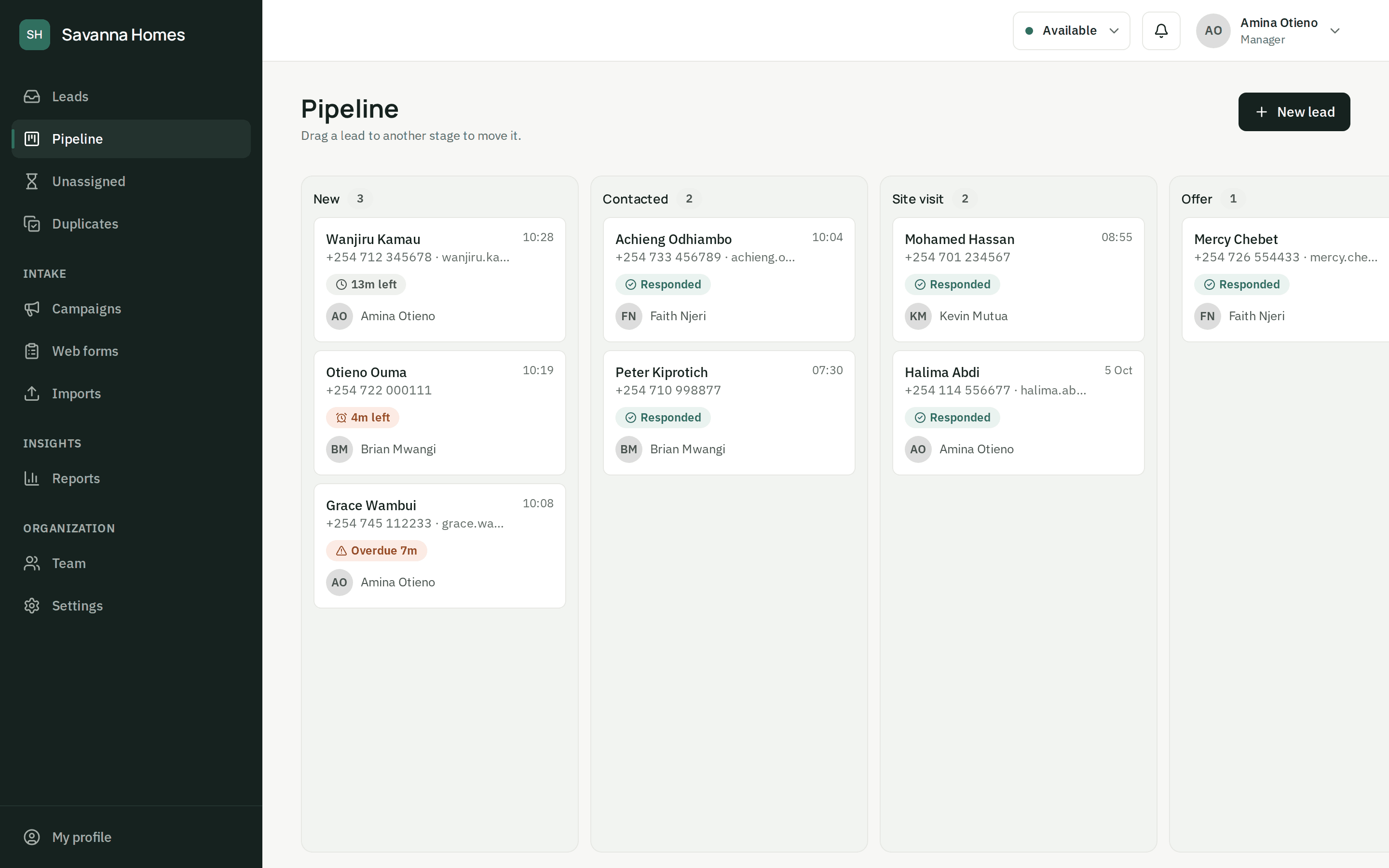
Move leads through stages that match how you sell, on a board or from the lead itself. Every call, note, message and handover is on one timeline, so anyone can pick up where a colleague left off.
- Your own stages, with won and lost
- A board you can drag leads across
- Calls, notes and messages logged in one place
- Duplicate leads merged into one history
Timeline
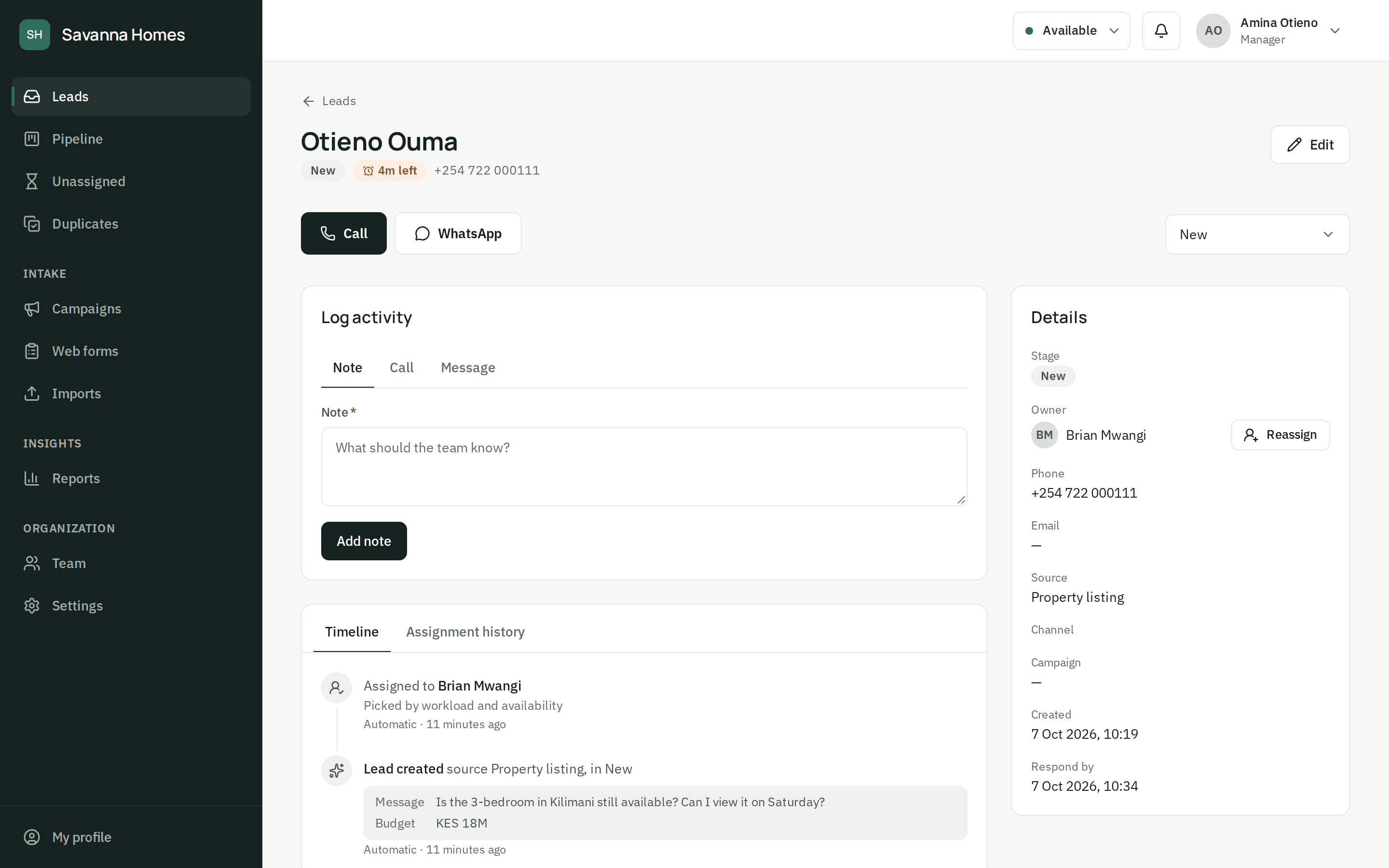
The whole story on one page
Calls and their outcome, notes, messages, stage changes and every change of owner, in order, on the lead. When an agent is off, a colleague sees exactly where things stand.
Duplicates merged
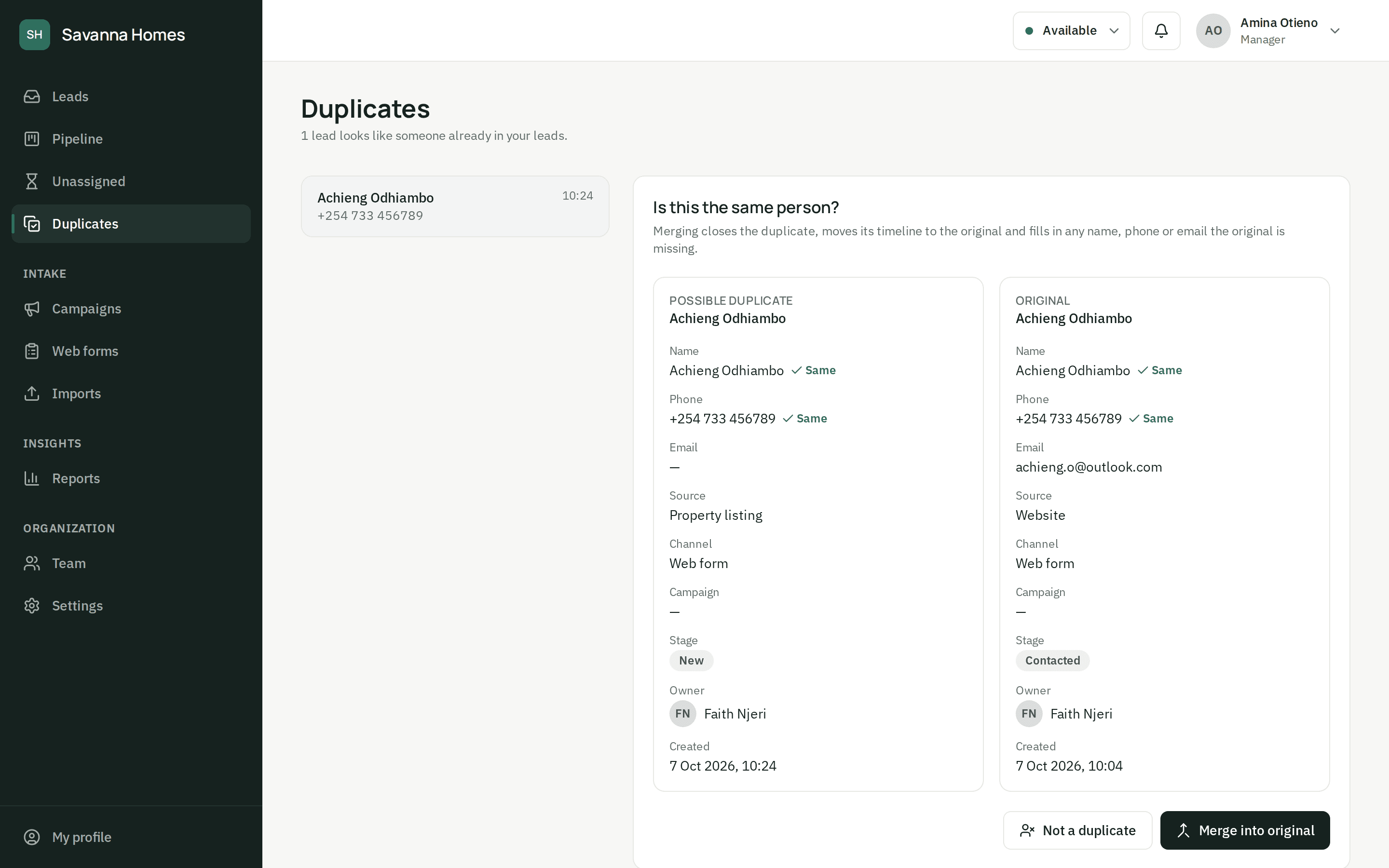
Two enquiries, one history
When the same person comes in twice, a manager merges the leads: the original gets any missing details and the duplicate's timeline, and each campaign keeps its credit.
Questions about the pipeline
Can we change the pipeline stages?
Yes. Every organization starts with New, Contacted, Qualified, Proposal, Won and Lost. Org admins rename, add and reorder stages, and mark each new one as open, won or lost.
What happens when the same person enquires twice?
ZonoLead matches new leads on phone number and email. The second enquiry is still saved, so each campaign keeps its credit, but it is flagged as a possible duplicate and goes to the agent who already knows that person when they can take it. A manager then merges the two histories, or marks them as different people.
Can our agents use it on their phones?
Yes. The dashboard works in any phone browser: agents see their leads with the time left to respond, get a notification when a lead is assigned to them, and can call or message from the lead in one tap. There's nothing to install.
Stop losing leads you already paid for.
Set up your team and your first form today, or let us show you around.