Response clock
Response clock: a deadline on every lead, and who met it
Set how fast each source must be answered. Every lead counts down to its deadline, its owner is warned before time runs out and managers see every miss, so the first reply comes in minutes, not hours.
- Response targets per source
- A countdown on every lead, on desktop and phone
- A warning before the deadline, an alert when it's missed
- First response recorded from calls, messages and stages
Response targets
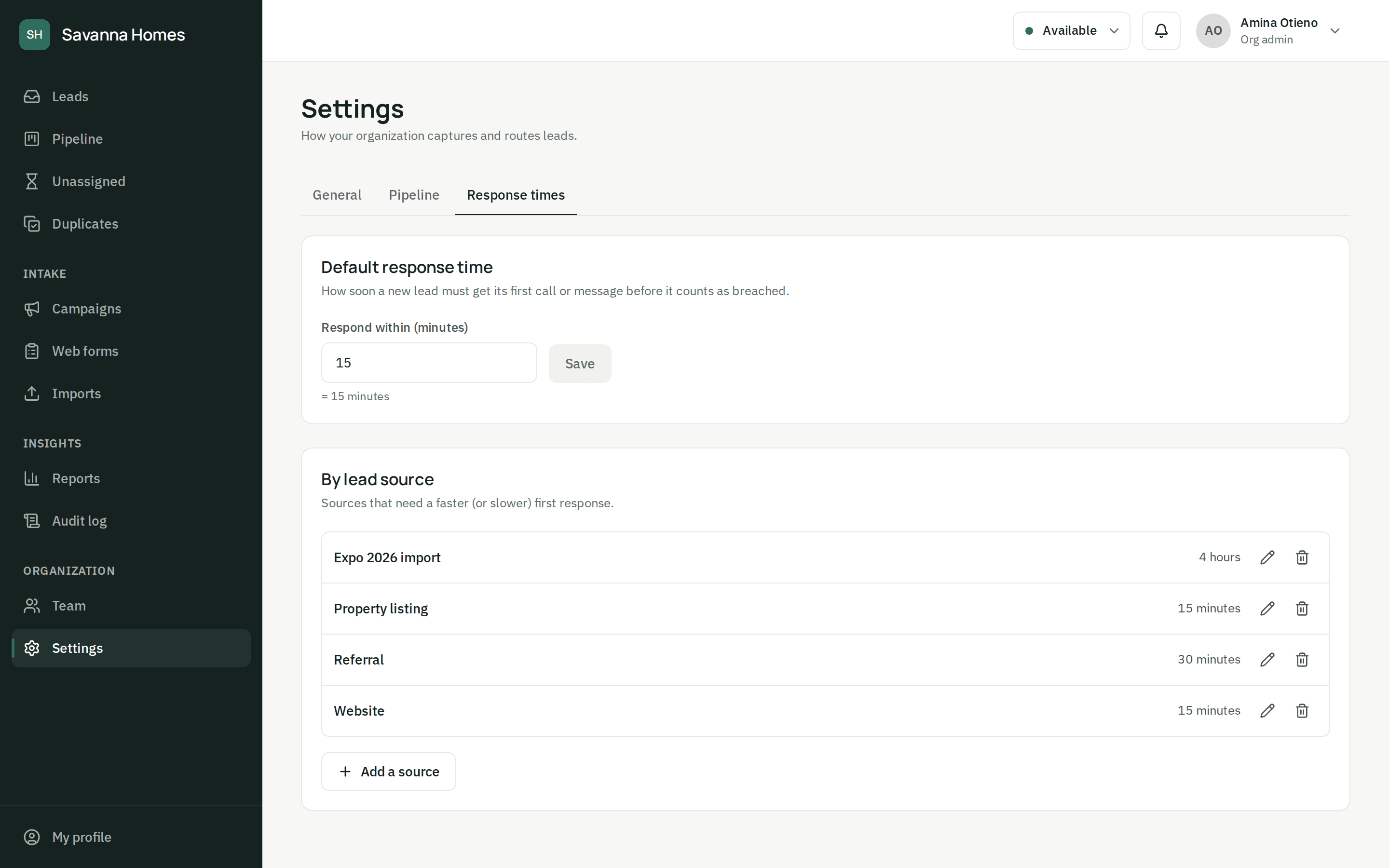
A target for every source
Give the organization a default, then set faster or slower targets per source: fifteen minutes for website enquiries, four hours for a trade-show list. Each lead gets its deadline the moment it arrives.
Countdowns
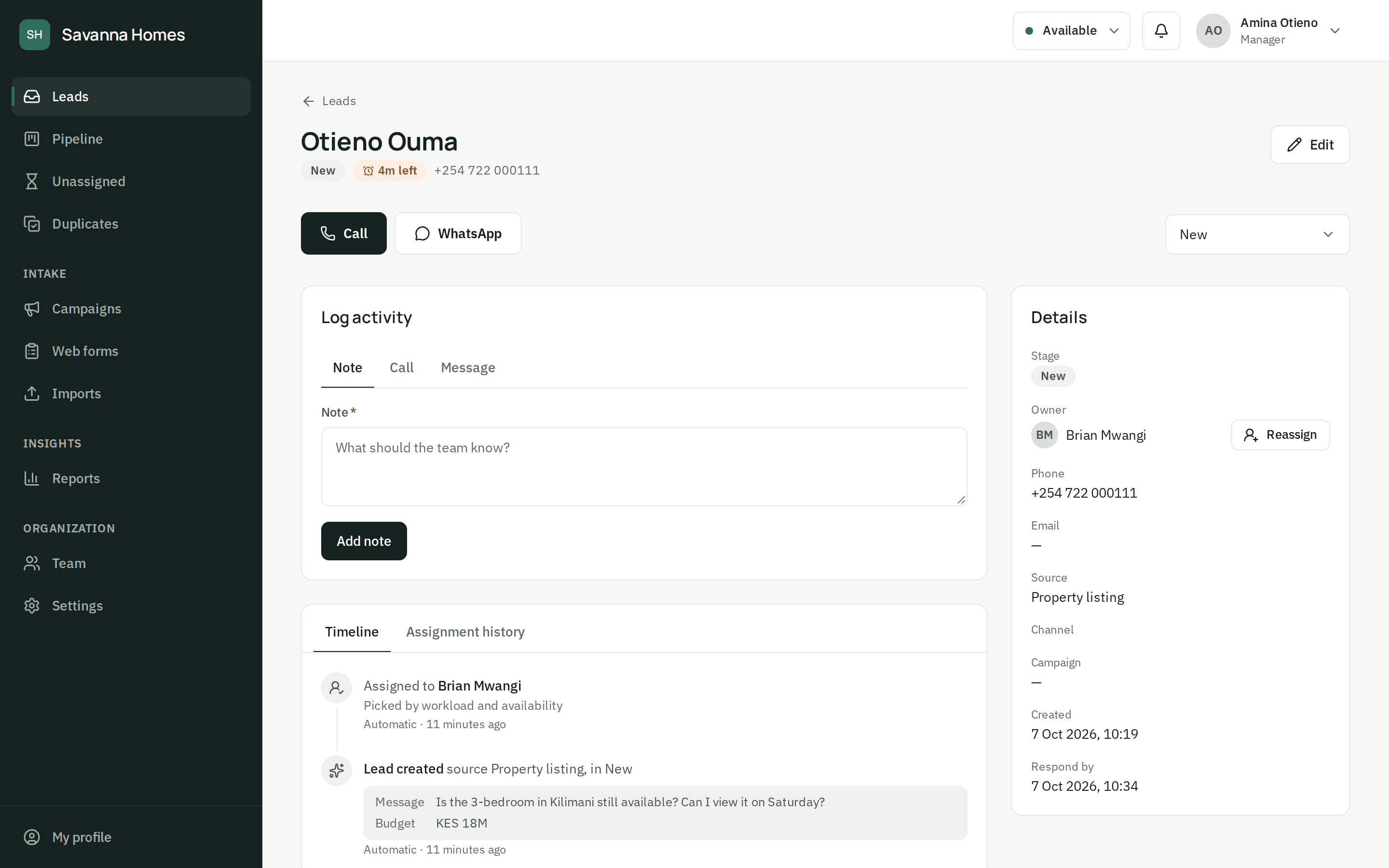
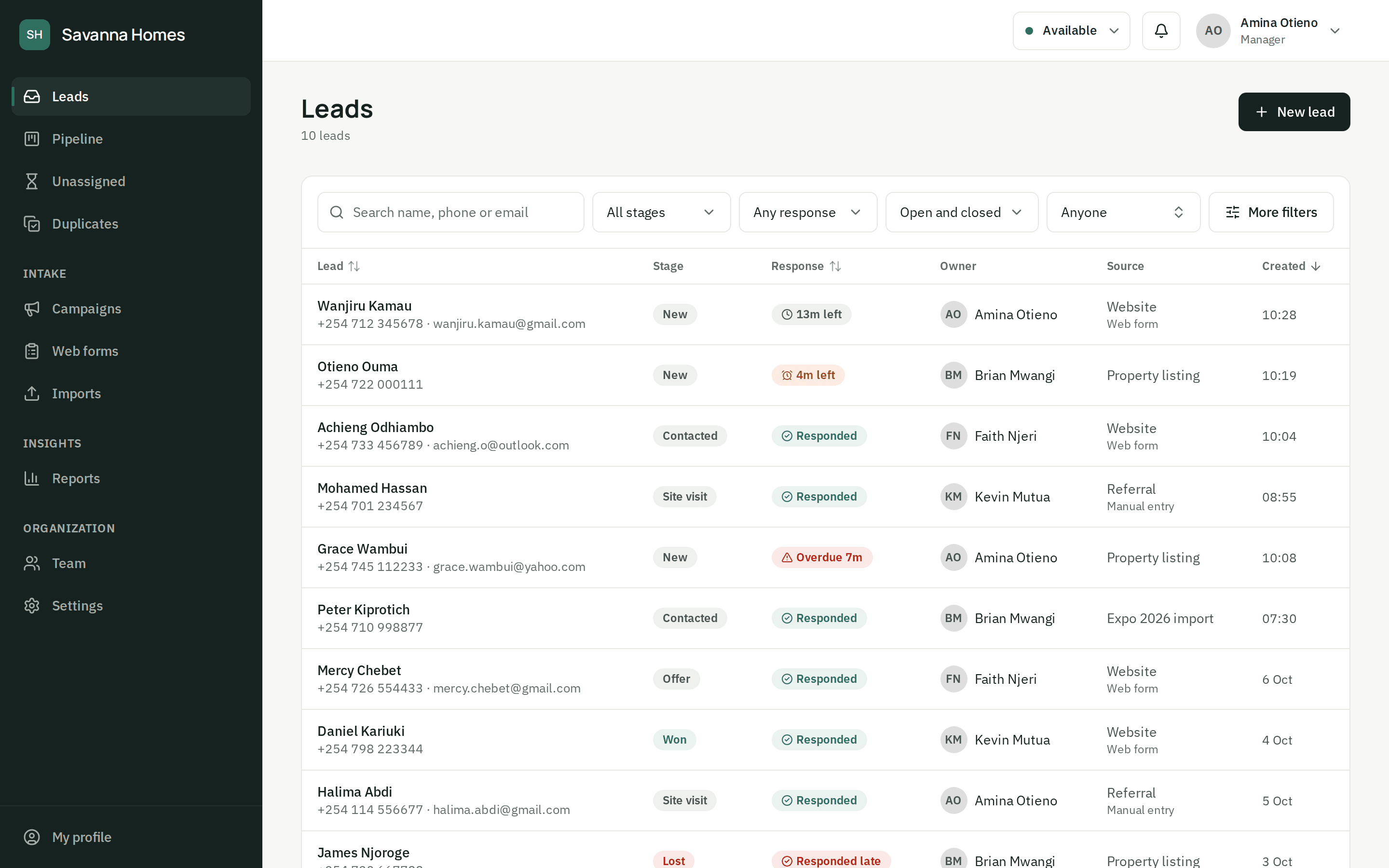
Agents know what to call first
The inbox shows the time left on every lead: amber as the deadline nears, red once it's missed, and marked as answered once someone calls, messages or moves the lead on.
Reports
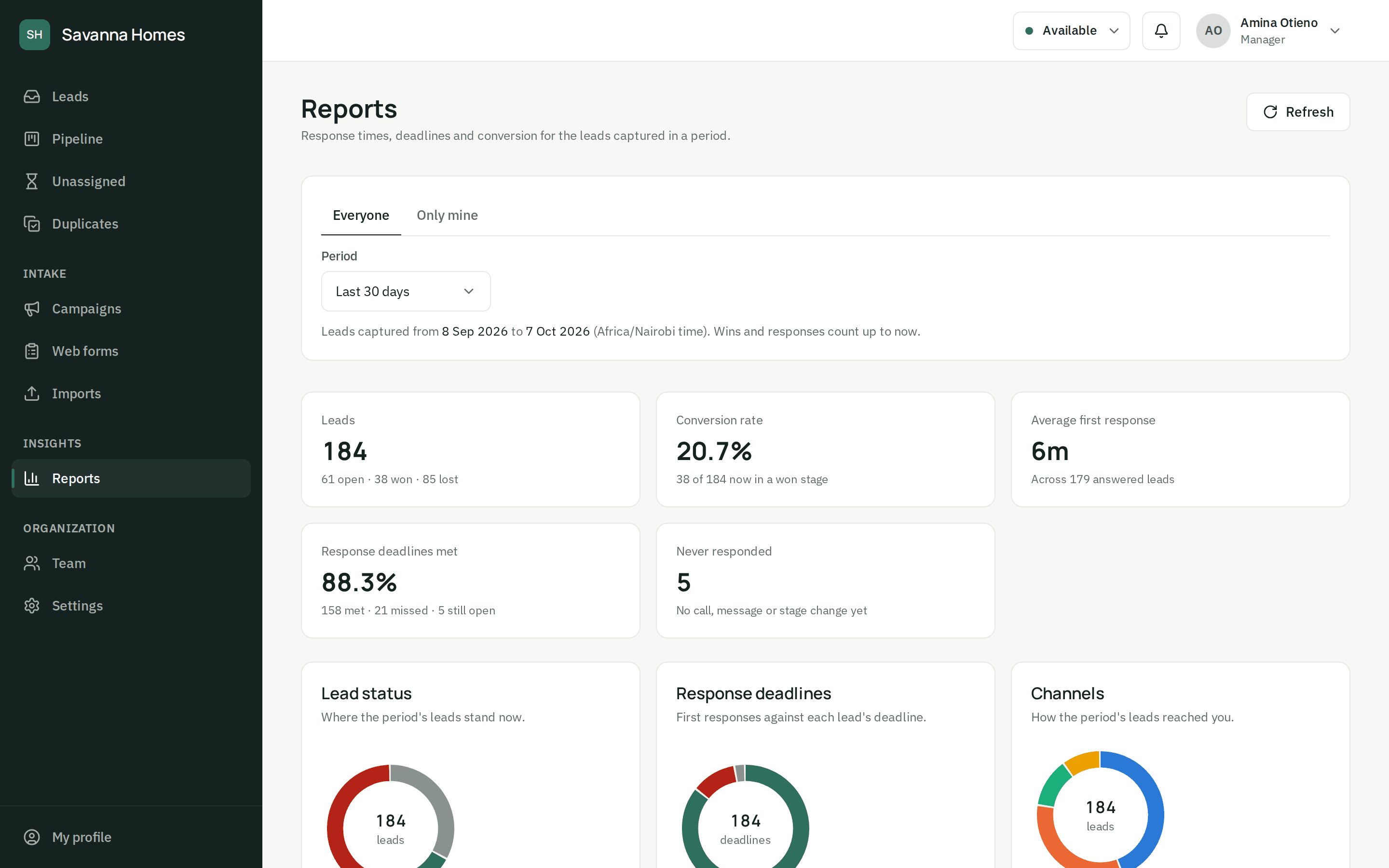
See how often deadlines are met
Reports show the deadlines met, missed and still open, and the average time to a first response, for the whole team or one agent, by source, channel and campaign.
Questions about response times
What counts as a first response?
A call, a message or a stage change logged by a person stops the clock. Notes, and anything the system does on its own, don't count, so the time you see is how long the customer waited for a real reply.
Who is told when a deadline is about to be missed?
The lead's owner is warned when most of the time has gone, and alerted once it's missed; managers are alerted too. People who aren't looking at the dashboard get one short email with what they missed, not an email per lead.
What if nobody is available when a lead comes in?
By default the lead waits in an unassigned queue and managers are told. It goes out, oldest first, as soon as someone starts a shift, comes back from a break or switches to available. If you'd rather, it can go to the least busy agent even when they're away.
Stop losing leads you already paid for.
Set up your team and your first form today, or let us show you around.